
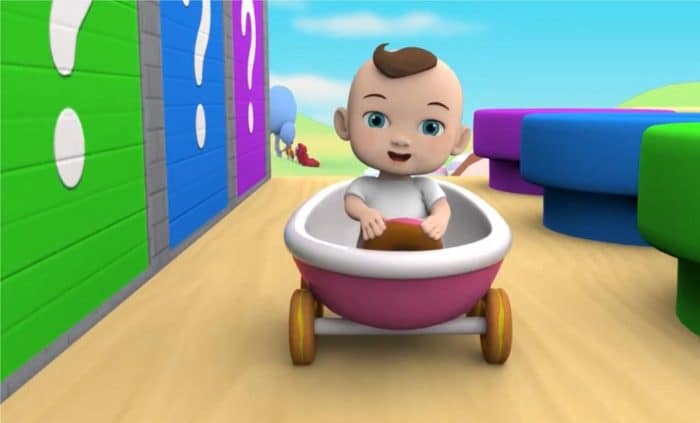
Animated videos are taking YouTube by storm as they are able to attract viewers by fascinating visuals and taking advantage of great storytelling. Animation is not only a very effective medium for educational and explainer videos but also for marketing materials as it allows even the most complicated ideas to be presented clearly and watched with pleasure.
With the help of up-to-date animation video makers, beginners do not have to be professionals anymore if they want to create top-level animated content. This tutorial aims to guiding you through the process of video planning and picking the best animation video maker.
Why animated videos perform well on YouTube
Visual storytelling keeps viewers engaged
Animation is a great way to represent complex concepts visually that relate easily with the audience. Also, it is highly suitable for holding viewers’ attention in the cases of educational videos, tutorials, and explanatory videos.
Lower production costs even than live videos
Without the need for a camera, lights, or shooting locations, creating videos on your computer is totally doable, hence saving both time and money.
Highly flexible and creative
You can freely design characters, graphics, and environments as per your taste. Besides, animated materials are very handy when it comes to updating, reusing, or adapting them to a different audience.
Types of animated videos you can create
Explainer videos
Animated explainer videos break down complex topics, using visual aids through animation and are excellent for tutorials, product demonstrations, and educational content. They make ideas easy to comprehend and quite interesting with the use of animation.
Whiteboard animations
They are a simple style of storytelling where hand-drawn sketches or icons visually explain the story. Very appropriate for educational or online course purposes. It supports the audience in paying attention to your message.
Motion graphics videos
Make text, icons, and charts to create attractive marketing or data presentations. Great for making eye-catching graphics and giving professional talks.
Cartoon or character-based videos
Animated characters can be used to tell stories or amuse viewers. Characters that are created from scratch add a sense of familiarity and enjoyment to the content.
Tools beginners can use to create animated videos
Online animation tools
If you don’t want to install any software on your PC, a great choice is a browser-based platform that lets you create videos from scratch.
Desktop animation software
These apps are jam-packed with features for professional use and allow much greater freedom when it comes to animation, so that they are excellent for big projects or highly detailed animations.
AI-powered animation tools
AI-driven software can animate your script or text prompts, thus saving time, obscuring even the most complicated workflows, and significantly simplifying production.
Most novices who have used template-based, simple editing platforms with drag-and-drop functionality have been able to make quite professional looking animated videos rather quickly without even having any prior experience.
Are you planning to create animated YouTube videos but don’t want to end up with complicated software? Filmora offers a simple solution with its pre-designed templates, AI-assisted tools, and simple editing functions for text, motion graphics, and explainer-style videos. This animation video maker a very suitable option for those who are new to the field but want to produce striking animated content fast and without much effort.

Filmora
Step-by-step guide to creating your first animated YouTube video
Here’s how to create animated video with Filmora:
Step 1. Pick a video topic that is clear
A great step in creating a video is to select a topic that fits your niche and interests your audience. With Filmora, you can plan your content around tutorials, explainers, product introductions, or story-based videos.
Step 2. Draft a brief script
Maintain simplicity, clarity, and focus on your script. Filmora’s AI Copywriting tool can be your assistant in producing a simple script outline, which is very handy for beginners to develop a solid beginning, middle, and end.

Filmora
Step 3. Develop a simple storyboard
Think through your scenes beforehand so you’re aware of where different parts of the video occur. This way, you can better organize text, images, characters, and transitions in a logical sequence.
4. Design or select visual elements
You can make your scenes with Filmora’s templates, titles, stickers, motion graphics, and creative assets. To give your video a polished look, you should try to maintain consistency in colors, fonts, and overall style.

Filmora
Step 5. Animate text
Pick any one of the ready to use text animation templates which can be a good starting point towards creating animated text. But the customization options are still open. You can change the font, text size, colors, and effects as per your requirement.
Step 6. Animate scenes
Use text animation, keyframing, and motion effects to animate all the scenes. Filmora is a great tool to easily add movement even if you don’t have advanced skills in animation. Your video will be more vibrant and captivating.

Filmora
Step 7. Add voiceover and sound effects
Match your script by recording a clear voiceover or using audio tools. Besides, Filmora allows you to add background music, sound effects, and subtitles, which will make your video more professional and comprehensible.
Step 8. Export and upload to YouTube
After making sure that everything is perfect, save your video in a format that is best suited for YouTube.

Filmora
Tips for Making Engaging Animated Videos
Keep videos concise and on the point
Beginner videos of 3 – 6 minutes in length are ideal. They are short enough for audiences to keep track of them easily and don’t lose interest.
Speak clearly
When you speak clearly, your audience can easily grasp your message. Another plus of good narration is that it helps your audience to get engaged with the story.
Keep the same style all through
Make sure not to change fonts, colours, or character designs during your video as this will be a neat and professional look of your content.
Don’t forget about subtitles
Having subtitles enables more people to use and watch your videos without sound. In addition, they might help you increase viewer watch time and retention.
Common mistakes beginners should avoid
Overloading the video with effects
Too much animation and flashy effects can annoy viewers. It is better to limit the visuals of your presentation so that your message is explicitly understood.
Ignoring script quality
Visuals can be flashy, but the script is what counts most. Without the story, your telling will remain flat and the audience will have trouble following along.
Poor audio quality
Even the best quality video can be ruined by audio problems making it look amateur. Using a clear voiceover and nicely balanced background music will enhance the viewer’s experience.
Uploading without optimisation
Great titles, tags, and thumbnails assist users in video discovery. Without these elements, your work might be lost to the right viewers.
Conclusion
Animated video making has now turned into a simple task for a beginner who has never tried it before. All it takes is a good topic, a short script, attractive pictures, and easy-to-use software to make creative and professional content that reflects one’s ideas.
In fact, the main thing is to be decent, consistent and focused when producing videos that tell, entertain, or give solutions to your audience. Filmora is one such tool that provides templates, AI features, and simple editing methods which help to create animated YouTube videos more easily.


Leave a Comment