
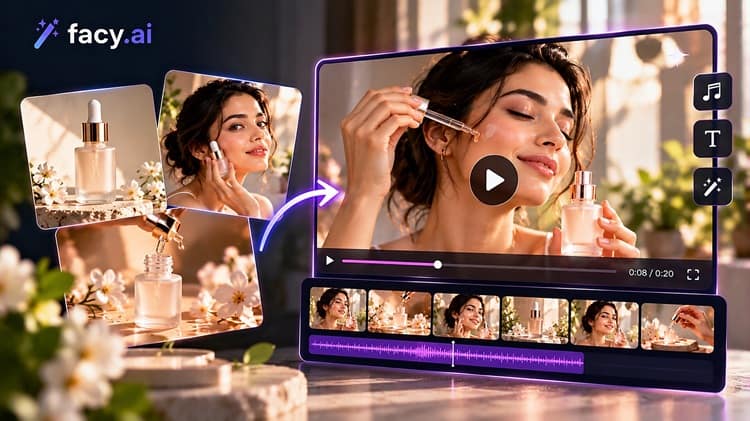
An e-commerce team has the product photographs it needs: clean, well lit, approved. What it lacks is enough finished material. Product pages want alternate backgrounds, the paid social calendar wants several versions of one hero image, and someone has asked whether a few of them could move as short clips. Today’s ai image to video tools make that easy to try. The harder question is whether the result is usable: accurate to the product, consistent with the brand, and tied to a campaign goal.
Use AI to change the setting around a real product photo, keep movement gentle, and review every clip frame by frame before it goes live. Speed is the benefit. Judgment still decides what gets published.
Where should the image come from: a prompt or the product photograph?
An AI image generator is most useful before the product becomes the point. Campaign concepts, seasonal settings, alternate backgrounds, and mood variations are all places where an approximate picture helps a team settle on a direction fast. A small online retailer preparing a winter launch could ask AI to generate pictures of several festive settings, pick the two that suit its brand, and use them as references for a photographer or as backdrops behind real product shots.
Trouble starts when a generated image has to stand in for the product itself. Shapes, proportions, stitching, labels, packaging text, and color can drift from the real item. A customer who receives something different from the picture creates a returns problem, not a creative win. For anything people buy on appearance, start from the actual photograph and let AI change the surroundings, not the product.
What happens when a still image starts to move?
Most tools that make an AI video from an image work the same way: the picture becomes the opening frame, and a written prompt describes the movement. The image-to-video page on Facy.ai follows this pattern, pairing an uploaded picture with a motion prompt.
The sensible requests are modest: a slow push toward the product, drifting light, steam rising from a cup, fabric stirring in a breeze. Complex actions, like a hand lifting the product or a model turning to face the camera, invite errors. Anyone who wants to turn an image into a video for ads should begin with one small movement and add more only if it holds up.
How do you check a clip before it goes live?
Watch it at normal speed once, then step through it frame by frame. Look for:
- Logos that warp, or labels whose spelling shifts mid-clip
- A product that changes shape or color
- Extra fingers or oddly bent hands
- Background objects that appear or vanish
- Motion that feels unlike the campaign it came from
If the product is not clearly the same object from first frame to last, the clip isn’t ready, and another attempt may not fix it.
Is the workflow worth the effort?
A small comparison answers that better than a gut feeling. Track the staff time spent briefing, generating, selecting, and fixing. Note the editing each asset needed before publishing. Count the assets that were actually usable, not the ones produced. Check whether the finished set looks like one brand. Then compare results with a similar earlier campaign.
The table shows where the decision tends to fall for product visuals and promotional clips.
| Production decision | When AI may help | What still needs human review |
|---|---|---|
| Alternate backgrounds for product pages | The real product photo stays untouched and only the setting changes | Edges, shadows, scale, and whether the scene implies a use the product doesn’t have |
| Seasonal variations for paid social | The team needs several concept directions quickly | Brand color, tone, and consistency across the set |
| Hero image for a new product | Early mood concepts only | The final asset, which should come from the real product |
| Short clip from an existing campaign visual | A gentle move such as a slow push-in suits the image | Warped logos or labels, unexpected animation, first and last frames |
| Clips showing packaging text or fine detail | Seldom | Legibility in every frame; a conventional shoot may be safer |
Conclusion
Pick one campaign with a deadline and a clear goal, such as more clicks on a seasonal launch. Produce a limited set of AI-assisted assets alongside the usual plan, record the hours spent and how many assets passed review, and compare afterwards. If usable assets arrive sooner, look consistent, and perform comparably, extend the workflow to the next campaign. If review and repair time cancels out the speed, keep AI for concept work and leave final product visuals to the camera.
FAQs
1. When does it make sense to turn an AI-generated image into a video?
When the image suits gentle movement, the product stays recognizable, and a short clip has a clear job, such as a social placement.
2. What should be checked before publishing an animated clip?
Logos, labels, product shape, hands, background objects, and the first and last frames, reviewed frame by frame.
3. Does Facy.ai offer an image-to-video tool?
Yes. Facy.ai has an image-to-video page where an uploaded picture becomes the opening frame and a text prompt describes the movement.
4. How can a business tell whether the workflow is worth it?
Compare staff hours, editing needed, usable assets, brand consistency, and results against a similar earlier campaign.
5. Can an AI image generator like Facy.ai help with marketing visuals?
Its presets include Product photo and Marketing visual, which suit campaign backgrounds and variations. Product details should still be checked against the real item.


Leave a Comment