
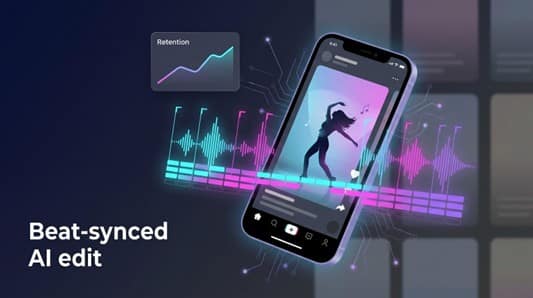
TikTok pulls more than a billion users into an endless, beat-driven feed. To win a split second of their focus, your clips need clean cuts, tight sync, and a hook that lasts until the final beat.
AI video editors can deliver that polish in minutes, but only if you choose the right one. TikTok’s 2026 ranking system now favours authentic, high-retention videos over one-click churn. In this guide, we compare the tools that boost watch time and flag the shortcuts that can tank your reach.
Why AI editors matter, and how music licensing can sink a great video
According to an OpusClip analysis, TikTok’s 2026 algorithm scans each frame, favours clips that keep viewers watching, and pushes down posts that feel low effort. When an AI editor trims silence, snaps cuts to the beat, and adds captions in seconds, you gain that retention-boosting polish without spending hours in Premiere.
Speed is only part of the story. AI tools now hand solo creators skills once reserved for full agencies: automatic beat sync, text-to-video backgrounds, instant reframes for 9:16. The payoff is more content, made faster, with a consistent style the algorithm recognizes and rewards.
Now the legal hurdle. According to Legis Music, since July 2025 TikTok requires all brand or promotional posts to use tracks from its Commercial Music Library. Choose a trending song outside that list and the platform can mute or pull your video. Planning to cross-post to Instagram or YouTube? Their rules differ, so secure a separate license unless your audio is truly royalty-free.

TikTok Commercial Music Library or Copyright Warning Screenshot
Bottom line: let AI speed up the edit, but keep music rights in human hands. Check every track before you publish to enjoy automation without painful takedowns.
Music-first AI generators
When you start with nothing but a track, these tools build visuals from the waveform up. They detect every kick and snare, then paint motion that lands on those hits. That task differs from trimming vlog footage, so we rate them on five music-centric factors:

OpusClip
- Beat-sync accuracy
- Visual consistency (no flicker, no off-model glitches)
- Creative control (prompts, custom models, lyric sync)
- Cost per finished minute in HD or better
- Commercial rights and watermark policy
With that scorecard, one platform rises to the top.

OpusClip
1. Neural Frames: your song’s personal VJ
Neural Frames treats music as data. The moment you upload a track, Neural Frames runs an eight-stem analysis (drums, bass, vocals, guitar, keys, pads, FX, ambience) and lets you map visual reactions to whichever layer drives the moment.

Neural Frames Stem Grid Interface for Beat-Synced Music Videos
The stem grid described on www.neuralframes.com delivers frame-perfect sync, so a kick can jolt the camera while a sustained pad simply drifts the colour palette.
A bass drop can shake the camera while a soaring vocal triggers a burst of colour. The output feels intentional, almost hand-edited, even though the process is automated.
Choice is power. Stay in Autopilot for a share-ready clip in two clicks, or switch to Musician Mode to align cuts with verse, chorus, and bridge markers. Brand-focused users can train a custom model on their own art so every scene features a mascot or motif. All renders upscale to 1080p or 4K, so a TikTok clip still looks crisp on YouTube.
Speed is solid: a one-minute HD video renders in about the time it takes to refill a coffee. Pricing starts at nineteen dollars a month for casual creators and scales to a tier that covers full-length videos. Pay and the watermark disappears; ownership of the final video stays with you.
There is a learning curve. Prompt wording matters, and new users often regenerate scenes to lock in the mood. Each tweak pays off in visuals that pulse exactly with the beat, which is why Neural Frames earns the top spot here.
2. Freebeat: one-click visuals at record speed
Freebeat takes the opposite approach. You hand it an MP3, choose a style name that sounds like an indie band—Veo, Nano Banana, or Vapor Splash—and hit generate. Two minutes later you have a 30-second vertical video with cuts on the snare and animated lyrics that bounce in time. No timelines, no keyframes.

Freebeat One-Click AI Music Video Generator Dashboard
That effort-to-output ratio is Freebeat’s advantage. Independent artists on Reddit call it “the most practical for finishing a music video.”
Speed brings trade-offs. Visuals come from pre-baked templates. They look polished, but you cannot nudge the camera angle or recolor a frame. If the first render misses the vibe, you regenerate and hope the next style fits. Resolution tops out at 1080p on the mid-tier plan, which is fine for TikTok but leaves 4K purists wanting more.
Cost is friendly. A free tier with 500 credits covers quick tests; the Pro plan at about thirty-five dollars a month unlocks watermark-free 1080p exports and enough credits for several full-length clips. That price makes Freebeat fit a DIY release cycle: drop a new single Friday, produce a visualizer before lunch, and still have money for ads.
Use Freebeat when speed matters more than granular control. It turns “I need a video today” into a solved problem.
3. Kaiber: cinematic animation for artists who think in storyboards
Kaiber shines when your song already carries a clear visual concept. Upload a piece of cover art, describe the mood—“rain-soaked cyberpunk alley at midnight” works—and Kaiber animates the scene with sweeping camera moves that feel lifted from a trailer.

Kaiber AI Image-to-Video Storyboard Project Interface
The image-to-video engine is the hook. Instead of random stock clips, it breathes motion into assets you provide. The character on your single artwork can turn, smile, and walk toward the lens as the chorus hits. For branding, that ownership is gold.
Control happens in chapters. Break a three-minute track into verse, chorus, and bridge, then assign a different animated scene to each. You can raise the creativity slider during the bridge, pull it back for a photoreal chorus, or toggle beat sync so camera cuts land on snare hits. Rendering takes longer than the instant generators—about fifteen minutes for a one-minute HD clip—but the quality jump shows.
Kaiber is priced for release campaigns, not daily posts. Twenty-nine dollars a month buys enough credits for several TikTok-length videos; larger projects push you to the pro tier. If time allows and visuals matter, those credits replace thousands in animation fees.
Choose Kaiber when you want listeners to feel the song before they hit play on Spotify. It turns static art into a living storyboard and lets independent acts publish videos that look expensive.


Leave a Comment