
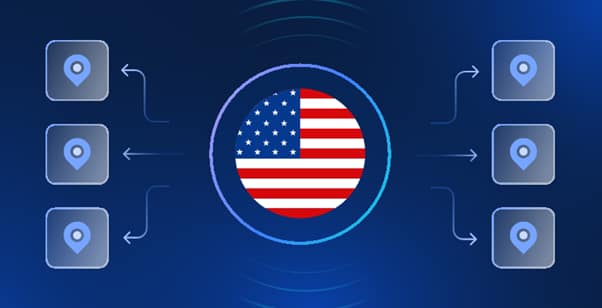
You know the feeling: you launch a campaign, everything looks perfect on your screen… and then your US audience sees something completely different. Prices shift. A “US-only” banner pops up. Your ad placements don’t match what the media plan promised. If you’re trying to buy us proxy access for legitimate work—like checking how a site behaves from inside the United States—you’re basically asking for a proper view of the pitch, not a highlights reel.
That’s where proxies come in: a practical networking tool that routes your requests through another server so websites “see” you coming from a different location. Not magic. Not a cheat code. Just plumbing—useful, boring, essential. And yes, the results depend on how you use it: lawfully, ethically, and in line with the websites’ terms. If the job requires consistent access from one US endpoint, you might choose to buy private US proxy service—“private” in this context usually means dedicated credentials or a dedicated endpoint that isn’t shared with random strangers, giving you more stability and fewer surprises.
In the next sections, we’ll cover what a proxy is (and what it isn’t), why a US location matters for real business tasks, and how to choose the right type without getting carried away by marketing noise.
https://proxy-store.com/
What a proxy is
Let’s get the basics nailed down like a clean first touch.
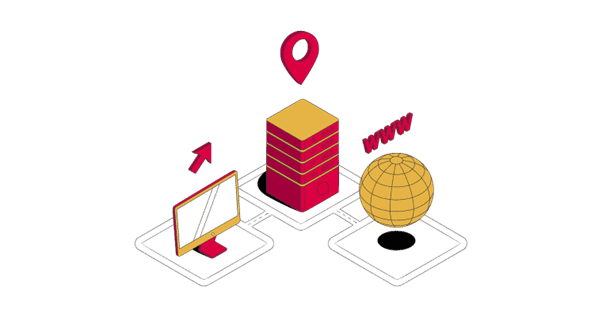
A forward proxy sits between you (the client) and the internet. Your browser or tool sends a request to the proxy, the proxy sends it on to the destination site, then relays the response back to you. Simple idea: you’re not talking directly to the site—your proxy is acting as the middle player. That’s why people doing a US proxy buy often care about where that middle player is physically located, and how reliable it is. (Forward proxies are commonly described as intermediaries between user devices and the internet.)
Now—here’s the bit many people get wrong: a proxy is not invincibility. A proxy can change the apparent source IP/location, but it doesn’t automatically make you “anonymous,” and it doesn’t automatically encrypt everything you do. Encryption usually comes from HTTPS/TLS, not from the existence of a proxy.
And don’t confuse this with a reverse proxy, which is the opposite arrangement. A reverse proxy sits in front of servers (like a website’s infrastructure), intercepting and forwarding incoming requests on the server’s behalf. It’s a defensive structure for the site owner, not a tool you buy as an end user to route outbound requests.
So if you want to buy a US proxy to run QA checks, verify ads, or monitor performance from a US route, you’re shopping for a forward proxy, not a reverse proxy.
Common legitimate reasons people need a US-located proxy
Why the United States specifically? Because the internet isn’t one big level playing field. It’s more like away games: different rules, different conditions, and sometimes you don’t even get the same scoreboard.
A US-located proxy is often used for geolocation testing—checking what a US visitor sees in terms of content, product availability, cookie banners, pricing displays, or localized messaging. It’s also used for brand protection and ad verification, where marketers need to confirm that creatives appear correctly from a US vantage point, that placements are running, and that regional targeting isn’t going off-script. And for engineering teams, it’s handy for web performance monitoring—measuring page load, routing, or uptime from US paths that match real users.
It can also support access to US-restricted business tools—but only when access is permitted by the provider and consistent with the site’s terms. That’s the line. Cross it and you’re not being clever—you’re just asking for trouble.
Legitimate, real-world applications include:
- Quality assurance for US audiences: ensuring that language, pricing, location-based prompts, and compliance notices appear correctly for American users.
- Advertising verification: confirming that campaigns are displayed as intended, with accurate placement, regional creatives, and frequency controls from a US perspective.
- Security and operational workflows: separating traffic routes for internal systems or third-party integrations, maintaining cleaner and more controlled environments.
- Permitted research and data collection: accessing publicly available information while respecting rate limits, legal boundaries, and platform policies.
In essence, a US proxy serves as a professional tool—allowing organizations to observe and operate within a US digital environment accurately and responsibly, without overreach or misuse.
Pick the right proxy type for your job
Choosing a proxy is like choosing boots: the “best” pair depends on the pitch.
Datacenter vs residential vs mobile (high level)
- Datacenter proxies: Typically fast and cost-effective, often best for stable, predictable workloads like monitoring or controlled QA—assuming the target service accepts them.
- Residential proxies: Use IPs associated with consumer networks; often marketed for “authentic” traffic profiles, but you should be extra picky about provider legitimacy, consent, and acceptable-use policies.
- Mobile proxies: Route through mobile carrier networks; can be useful for mobile-specific testing, but they’re usually pricier and not necessary for most standard web QA.
HTTP(S) vs SOCKS5 (protocol choice)
- HTTP proxies are designed for web traffic (HTTP). For HTTPS, many setups rely on tunneling using the HTTP CONNECT method, which establishes a tunnel through the proxy for encrypted connections.
- SOCKS5 is more protocol-agnostic—think of it as a flexible relay that can work with more than just browsers, covering broader TCP (and even UDP in the spec) use cases.
Tip box: If you need broad app compatibility beyond the browser (multiple tools, different protocols), SOCKS5 is often the simpler, more flexible pick. If your workflow is mainly browser and standard web requests, HTTP(S) may be plenty—provided your provider documents HTTPS tunneling clearly.
What “private US proxy” should mean in plain English
Right, let’s clear up the biggest bit of nonsense in this whole market: “private” doesn’t mean “mysterious,” “invisible,” or “untouchable.” It should mean you’re not crammed into a packed bus with a hundred strangers all trying to use the same exit at the same time.
In plain English, “private” should usually point to one of these:
- A dedicated endpoint (the proxy IP/port is effectively yours), or
- Dedicated credentials that aren’t tossed into a crowded pool where everyone’s behaviour affects everyone else.
Why does that matter? Because performance and reputation aren’t fairy dust. If the same address is shared widely, it can get slow, unstable, or flagged—then you’re the one left chasing your tail wondering why your perfectly normal QA check is suddenly acting like a red card offence.
A proper “private” offer should also come with:
- Predictable performance (not “fast today, dreadful tomorrow”)
- Clear authentication: either username/password or an IP allowlist (so only your systems can use it)
- Transparent logging and abuse handling: what’s logged, for how long, and how they respond when an IP gets burned
If they can’t explain those basics without dodging the question, move on. Simple.
How to evaluate a provider before you buy
Forget glossy landing pages. If you’re choosing a provider, think like a manager picking a starting XI: you want reliability, discipline, and clear roles. Here’s what actually matters:
- Location proof (US regions/cities)
You’re paying for US egress—so confirm it’s genuinely US-based and consistent across checks. - Protocol support (HTTP(S)/SOCKS5)
Your tools need to work without gymnastics. A decent provider documents exactly what’s supported and how to set it up. - Authentication method
Weak access control turns into misuse, surprise charges, or worse. Look for user/pass or IP allowlisting—and ideally strong account security on the dashboard. - Logging and privacy policy
You don’t need drama here. You need clarity: what they log, why, and retention periods. Vague answers are a warning sign. - Abuse prevention
If a provider doesn’t police abuse, their IP reputation can end up in the mud—and you’ll be the one slipping around. - Support and SLA
If your workflow depends on it, downtime costs money. Response times, uptime targets, and a status page are not “nice to have.” - Rotation rules (if any)
Some tasks want stability; others need variety. You should control the rotation, not be surprised by it. - Terms-of-service alignment
The provider should be clear about what’s allowed and what isn’t. You don’t want to buy into a setup that pushes you toward policy violations.
Safety basics when using proxies
Here’s the sensible bit—because being casual with security is how you concede goals.
- Use HTTPS end-to-end whenever you can.
A proxy is not automatically encryption. HTTPS/TLS is what protects the contents of your connection in transit. - Don’t send sensitive credentials through unknown endpoints.
If you wouldn’t hand your passwords to a stranger in a car park, don’t do it online either. - Keep audit logs—without hoarding sensitive data.
Log what you need for troubleshooting and accountability (timestamps, success/failure, system IDs), but don’t collect unnecessary secrets “just in case.” That’s how small problems become big ones.
The proxy is a tool. Your habits decide whether it’s a tidy setup or a mess.
That’s reverse proxy talk—server-side infrastructure. Useful, yes, but not what you’re buying as a client. This article focuses on forward proxies: the ones you use to route your own requests outward, for legitimate business needs like testing and verification.
Checklist before you buy a US proxy
Right, let’s cut through it and keep things sharp—here’s a quick checklist you can run through without wasting your day:
- Make sure your intended use is fully legal and aligns with the website’s terms—no shortcuts here.
- Work out what you actually need: a dedicated (private) setup or a shared one, and whether a static or rotating connection suits your task.
- Pick the right protocol—HTTP(S) if you’re sticking to browser-based work, or SOCKS5 if you need flexibility across different tools.
- Don’t be shy—ask about logging practices, data retention, and any past incidents. Straight answers matter.
- Double-check that the proxy truly routes through the US, and confirm specific regions if your job depends on it.
- Run a proper test—use your real workflow to check speed and latency, not some simplified demo.
- Finally, ensure there’s responsive support and a clear replacement policy in place—because sooner or later, an IP will go off form.
If you’re ready to buy private US proxy access, use that list to avoid low-quality offers that look good on paper and play terribly on the pitch.
Common mistakes that cause bans, data leaks, or wasted money
A lot of people don’t lose because the tool is bad—they lose because they use it badly.
- Assuming proxies make you “anonymous by default.”
They don’t. They route traffic. That’s it. - Buying the cheapest option with unclear policies.
If they can’t explain logging, rotation, and access control, you’re gambling. - Over-automating with no rate limits and no respect for rules.
That’s not “efficient.” That’s reckless. - Reusing the same proxy for everything.
No separation of duties, no isolation, no discipline—then one issue contaminates every workflow.
FAQ — Buying and using US proxies
What does “private” mean when I want to buy private US proxy access?
Usually: dedicated credentials and/or a dedicated endpoint not shared broadly. Ask whether the IP is exclusive, how access is controlled, and what happens if reputation degrades.
Is a proxy the same as a VPN?
No. Both route traffic, but a proxy is often configured per app or per workflow, while VPNs typically tunnel more of your device/network traffic. Different tools, different jobs.
Should I choose HTTP(S) or SOCKS5 when I’m doing a US proxy buy?
HTTP(S) is often enough for browser and standard web tasks. SOCKS5 is flexible across more applications and protocols.
Will a US proxy encrypt my traffic?
Not automatically. Encryption is mainly handled by HTTPS/TLS. A proxy can route or tunnel traffic, but you still need HTTPS for confidentiality.
How do I know I’m actually in the US after I buy a US proxy?
Use reputable IP geolocation checks and verify consistency across more than one service. If your job depends on a specific region, confirm that too.
What should I look for if I want to buy a US proxy for business monitoring or QA?
Uptime/SLA, consistent routing, transparent policies, and fast support—plus a clear replacement process when endpoints go bad.


Leave a Comment